Currencies
Currencies
The Currencies static data view allows you to view, add and amend existing currencies. Each currency has a priority, which determines the "order" of foreign exchange (FX) transactions between the currencies. The lower the number, the higher the priority of the currency.
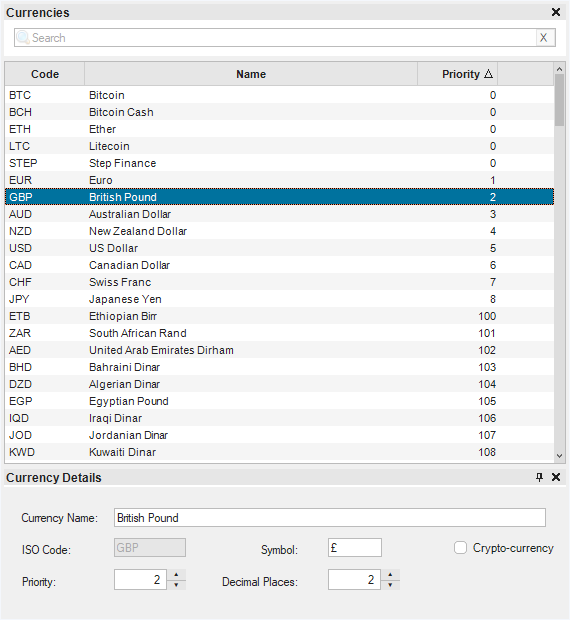
Exchange Rates are quoted as how many lower priority currencies you get for the higher priority currency. So for example, FX transactions between USD and GBP are always quoted as GBP/USD because GBP has a priority of 2, whereas USD has a priority of 5. So EUR, GBP, AUD and NZD are the only traditional currencies where the rate is quoted as USD to the currency, rather than the currency to USD.
If you change any of the priorities, this will change the way Maxim Money interprets the rate. It is not advisable to change this unless you are having problems with exchange rates.
The Currencies view also allows you to create new currencies. The most common reason for doing so is to create new Crypto Currencies. Crypto currencies are normally always quoted as number of currency (usually GBP or USD) you get for one crypto unit, and so crypto-currencies should be set up with priorities of 0 or less.
If you wish to trade Commodities, for example, Gold (XAU) or Platinum (XPT), you can also set these up as currencies. If you check the Crypto-currency checkbox then these will become tradeable assets.