Categories
Categories
Categories give you a way to bucket your transactions together. This is useful when analysing where your money is going. Each transaction can only be assigned to a single category. (I will be adding Tags soon, which will allow you to flag transactions in other ways).
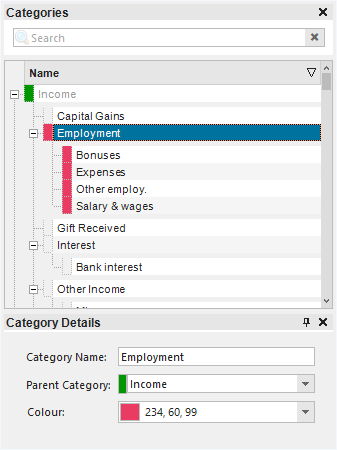
Categories are organised in a hierarchical fashion, with Income and Expense at the root. You can create any number of category levels by setting the parent category. You can also drag and drop categories in the tree to arrange them as you please.
Each category can be assigned a colour. This colour will then be displayed in dropdown lists, charts and in the calendar.
If you assign a default category to a payee, that category will be assigned on any new transactions for that payee.