Password Protection
Password Protection
Maxim Money allows you to password protect your MMY data files. If you select Password Protect in the File menu, it will bring up the following dialog, where you can create a new password:
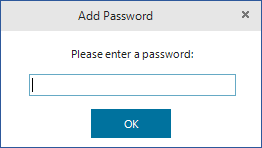
You will be asked to enter the password twice to ensure they match and there were no typos made. When a password is applied to the data file, the file will be encrypted using sophisticated 256-bit encryption, similar to that used by financial institutions, governments etc, which makes it virtually impossible to crack.
The password must be entered again to remove it from the file.
Please be very careful not to forget your password if you use this feature - it will not be possible to recover your data without it!
Two Factor Authentication
It is also possible to further protect your MMY files, using 2FA. Instead of relying solely on a password, 2FA requires you to confirm your identity using two different categories of authentication. Maxim Money supports Authenticator Apps such as Google Authenticator, which generate constantly refreshing, temporary codes on your phone. If you enable this feature, you will need to have access to your phone to obtain the required code to open the file.
To enable 2FA, you must first set a password on your data file. Once this is set, from the File menu you should now be able to select Add 2FA... Selecting this will bring up a screen like so:
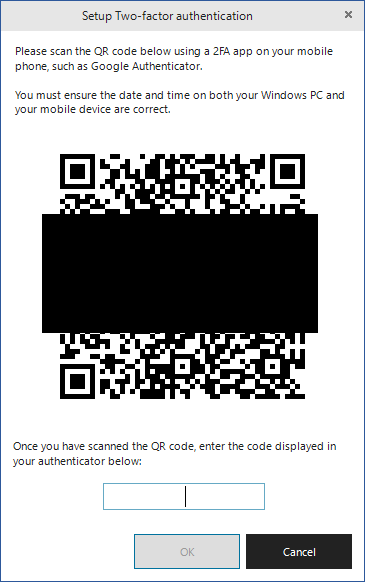
Scan the barcode with your phone. This should automatically open your Authenticator app and add Maxim Money as a new account. Once done, it should display a 6-digit code on your phone. Type this into the window. If the code is correct, 2FA will now be set up, and you will need to use your phone to authenticate each time you open your data file (be sure to save your data file once you have done so!)
You can remove 2FA if you wish, by selecting Remove 2FA... from the same menu. You need to enter the current code from your Authenticator app before doing so.