Submitting your first Quarterly Update
Submitting your first Quarterly Update
Submitting your Quarterly Reports is super easy. Once you have everything mapped, then you will always see your cumulative total for each quarter. You will see the due date for each quarterly submission. As soon as the submission window opens, a Submit button will appear next to the submission.
Before submitting, make sure you have no warnings against the quarter. Possible issues could be:
- Accounts are not specified
- Transactions exist on the account for the submission period, but have not been assigned to an HMRC Category
- Transactions exist on the account for the submission period, but have been assigned to multiple HMRC Categories
If any of these are the case, go back to Setting up your MTD Business to review your mappings.
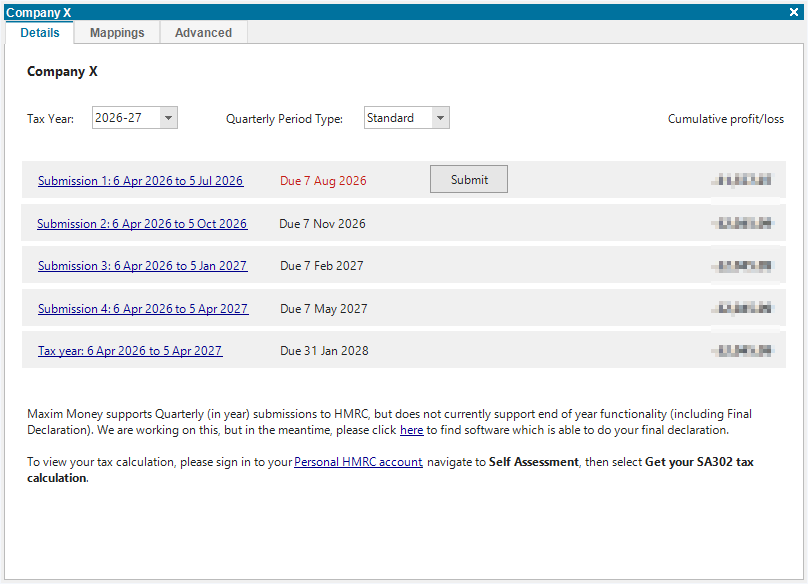
Once there are no warnings, review your submission by clicking on the Submission link. This will open a report displaying a breakdown of the quarterly update.
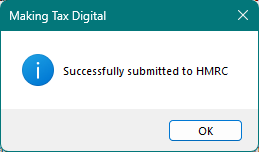
If you are happy with the data, click the Submit button. You should get a response like so:
If the submission fails for any reason, you will be given an error message, explaining the issue. This may be a connection or service issue, or there may be a problem with the data.
You can resubmit the same quarter as many times as you like before the final deadline. So if you later add, remove or modify transactions, you can just re-click the Submit button.
Note: Maxim Money does not currently support end of year functionality (including Final Declaration). We are working on this, and hope to have this in place before April 2027. But in the meantime, you may need to visit gov.uk to find software which is able to do your final declaration.