Configuration
Configuration
There isn't a great deal of configuration required for Maxim Money. The most important thing you might want to set before setting anything up, is the default currency. To set this, go to Settings (click on the  icon in the top-right of the main form) and select the Misc tab.
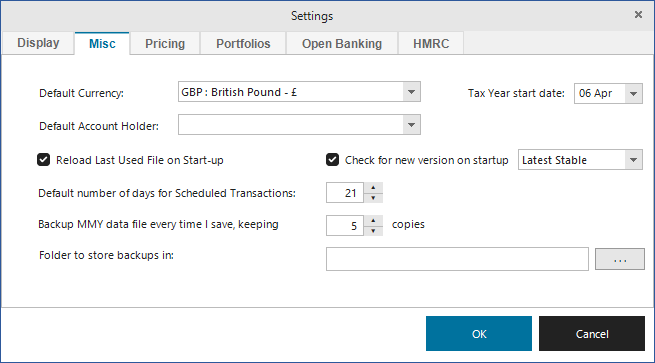
This should default to the currency set as a default on Windows, but can be overridden to any value. New accounts will default to this currency, and any system-wide totals or mixed currency portfolios will display values using this currency. The value can be changed at any point.
If you wish to import accounts in currencies other than the default currency, it's best to ensure you have at least one exchange rate on the system for that currency. This means any imported transfer transaction will use the most recent exchange rate for the transaction date to estimate the amount in the other account, making it easier to reconcile.
Whilst you're on this screen, it is a good idea to make sure you have Check for new version on startup selected, to ensure you are notified whenever a newer version becomes available. There are two options here; Latest Stable and Release Candidate. Release Candidate has newer features, but hasn't gone through as much testing. If you want to try out the very latest features, you should select this option. If stability is more important to you, then select the stable option.