Institutions
Institutions
In Maxim Money, an Institution is the bank, building society, or financial organization where your money is held. Before you can track your individual checking, savings, or credit card accounts, you first need to add the institutions that manage them.
Open Banking Integration
The most powerful feature of setting up an institution is the ability to link it to an Open Banking connection.
When you connect an institution to Open Banking, Maxim Money can securely and automatically download your latest transactions from any accounts held at that specific organization. This eliminates the need to manually enter every purchase or transfer.
Institution Details
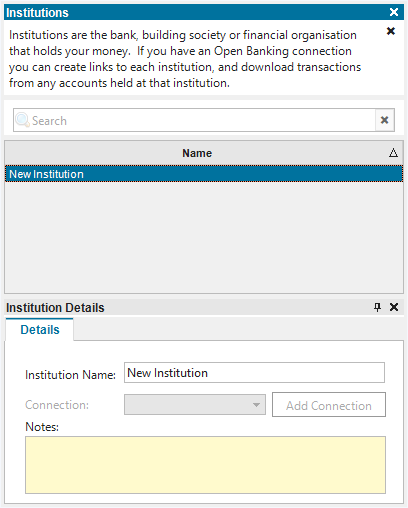
When you add or edit an institution in your Static Data, you can configure three basic details to keep your setup organized:
- Name: The display name you want to use for the organization (e.g., "Chase", "Starling Bank", or "Nationwide").
- Open Banking Link: The active, secure connection used to sync your transaction data automatically.
- Notes: A free-text field for any personal reminders, contact numbers, or details you want to remember about your relationship with this bank.
To add a new institution, right-click in the list of institutions and select Add Institution. You will then be able to edit the fields. The Connection dropdown will be disabled if Open Banking is not activated.