Scheduled Transactions
Scheduled Transactions
Scheduled Transactions are pre-defined transactions that will be automatically entered into your register at the frequency you require. The most common use for this is to enter any direct debits you have on your account, so you can see the effect the transaction will have on your account balance before it actually comes off, helping you to predict your future balance.
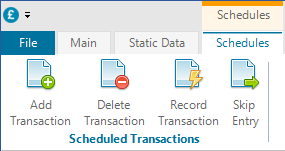
There are two ways to create scheduled transactions. You can either to into the Scheduled Transaction screen, which will activate the Scheduled Transactions context menu, and click Add Transaction.
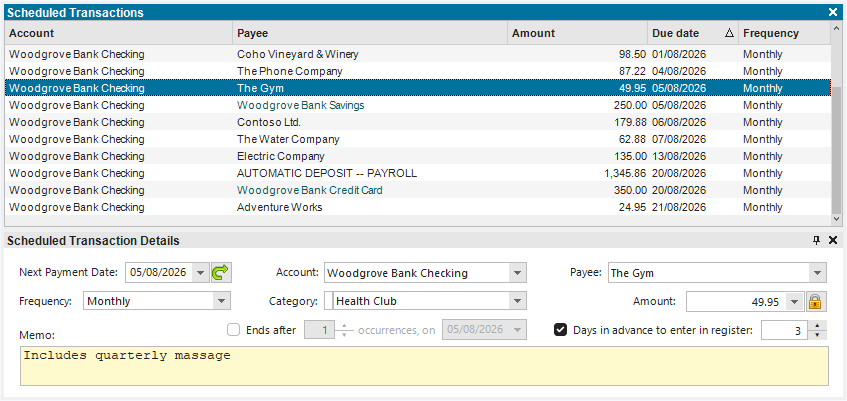
This will then create a new entry in the list of Scheduled Transactions, where you can populate the data:
The second way is to right-click on a transaction in an account register, and select Create Scheduled Transaction from the menu. This will then automatically create a new scheduled transaction, which will default to a month after the one in your register.
When specifying the Next Payment Date, you can change the date the transaction will be entered on taking into account non-business days by toggling the button to the right of the date. The options are:
- Do not roll over non-business days. This will enter the transaction on the exact scheduled date, not adjusting for business days.
- Roll forward over non-business days. This will move any transaction scheduled for a weekend, to the following Monday. This is common on payments.
- Roll backwards over non-business days. This will move any transaction scheduled for a weekend, to the proceeding Friday. This is common on deposits.
- Roll to the nearest business day. This will move any transaction scheduled for a weekend, to the nearest business day.
- Do not adjust for non-business days. Date is approximate. This will enter the transaction on the exact scheduled date, not adjusting for business days.
The main difference between the first and last option, is if you mark the date as approximate and subsequently change the date of a transaction created by this schedule in your register, you will not be prompted to modify the date of the scheduled transaction.
The Amount field has a toggle button to the right of it. The options are:
- Scheduled amount is fixed.
- Scheduled amount can vary each time.
If you mark the amount as varying, you will not be prompted to update the schedule if you subsequently change the amount of a transaction created by this schedule in your register.
You can limit the number of automatic entries of this schedule by setting a number of occurrences, or a final payment date. Once the final payment date has been reached, the schedule will be removed.
The Days in advance to enter in register determines at what point the transaction will be entered. You can change the default value for this in Settings.
Whenever a transaction is entered into your register, the Scheduled Transaction will update its Next Payment Date to the next date based upon the payment frequency.
You can also create scheduled transfer payments. To do this, you need to right-click on an existing transfer transaction in your account register, and create a scheduled transaction from the menu.
The Record Transaction button on the menu will record the transaction in your register, in the same way as if it was done automatically. This allows you to manually add the transactions sooner than scheduled.